Gusi Budget · Household budgeting
A budget that belongs to the household. Share your budget and track expenses together.
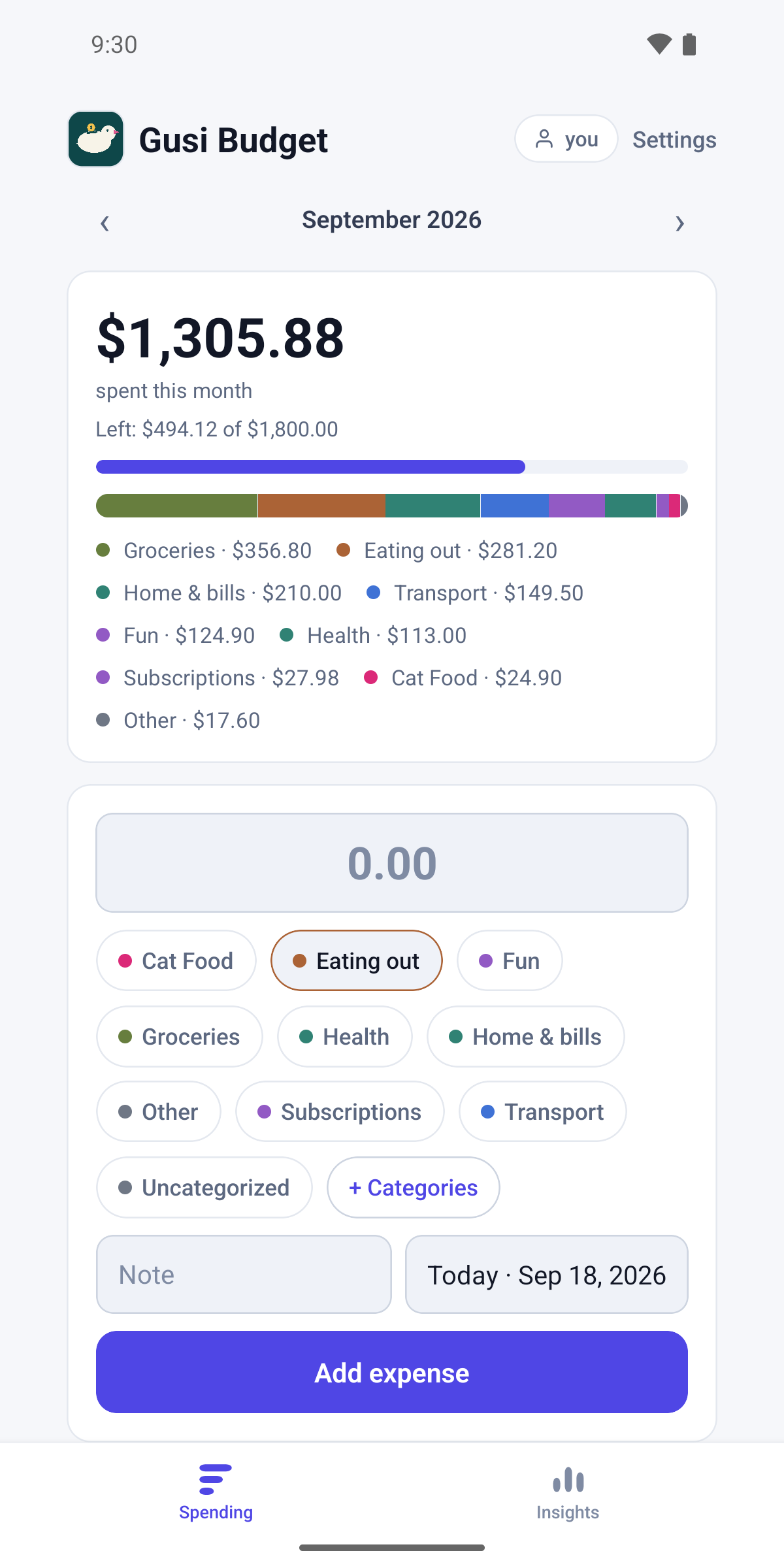
Everyone in the household logs what they spend. Everyone sees the same running total, the same categories, and the same month. No bank connection, no shared password, no one person keeping the spreadsheet.
Get it on Google Play
iOS version coming to the App Store.
In the app
What it looks like
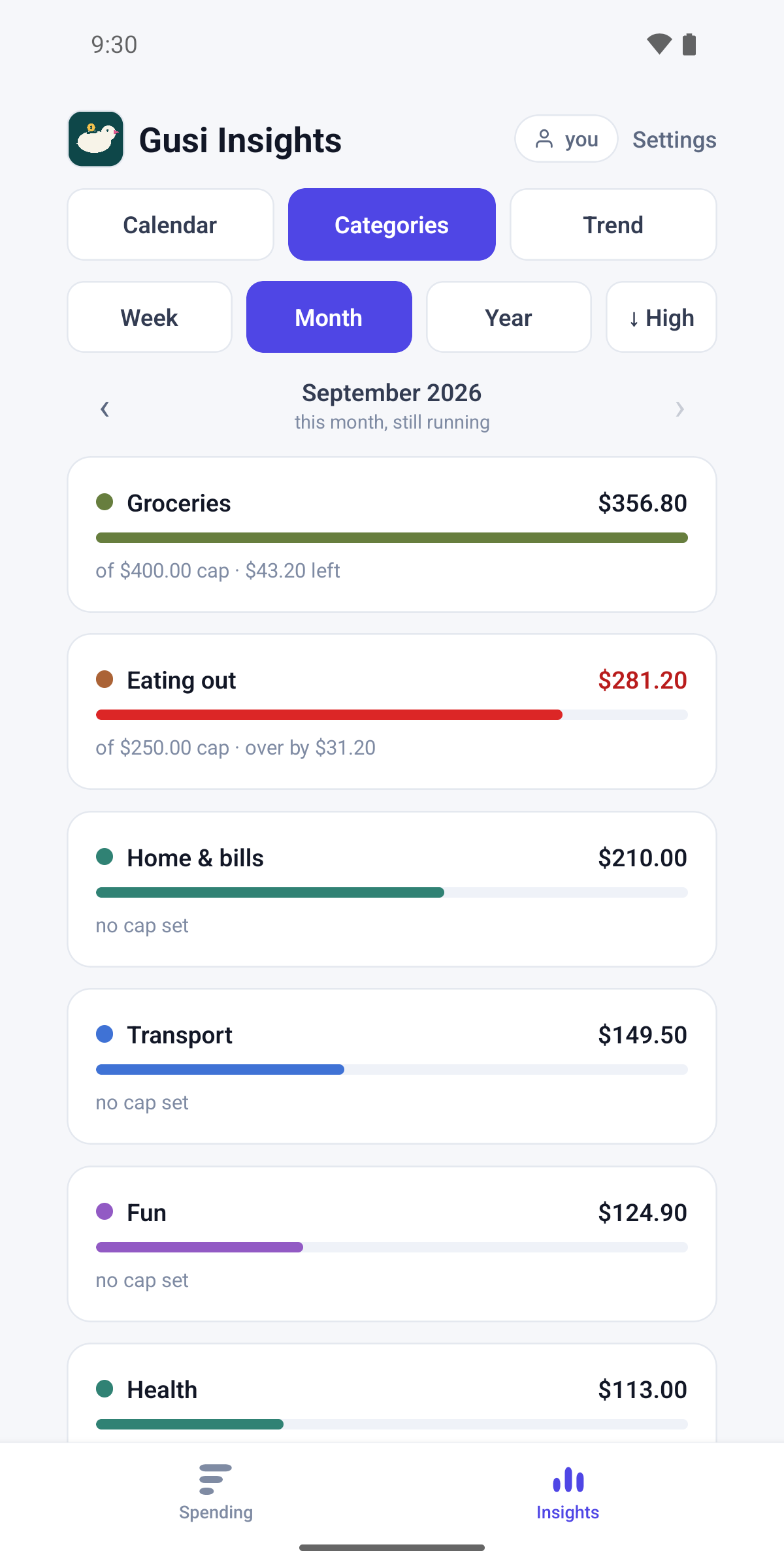
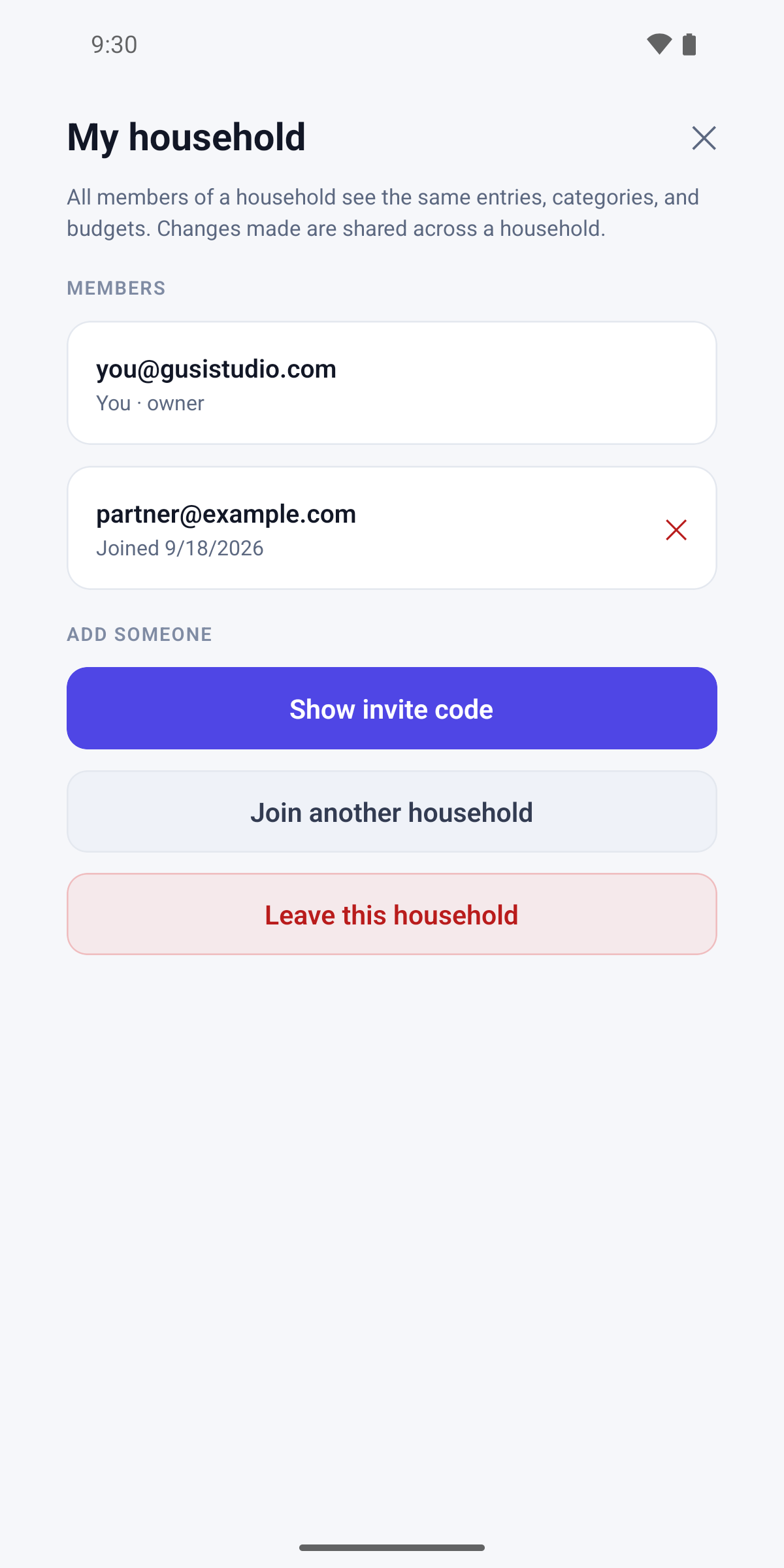
Screens from the Android app.
Features
What Budget does
Shared householdOne running total across every member, with each entry attributed to whoever added it.
Updates as they happenAn expense added on one phone appears on the others.
Works offlineAdd expenses on a train or a plane. They are kept on the phone and sync when you are back online.
Monthly category limitsCap groceries, eating out, or whatever you keep overshooting.
Months and categoriesMonth-by-month totals, a category breakdown, and a calendar of what you spent each day.
Insights into your habitsWhat you spend the most on, what a normal week costs you, and how both move over time. Seeing the pattern is what lets you change it and put the difference towards what you are saving for.
Manual by design. Contactless payments make spending invisible. When money leaves your account with a single tap, it does not feel real. Taking a few seconds to log the purchase restores the mindful friction of physical cash, which is the whole point of the app. It is also why Budget never asks for a bank login.
Price
Free, with ads
New accounts get an introductory period with no advertising at all. After that the free app shows ads, and a single one-time purchase removes them permanently.
There is no subscription to remove ads, and every feature works whether you remove ads or not.